
How to Make an Animal Lip-Sync Music Video with Sondo
Turn your animal-inspired fantasies into music videos with Sondo. Upload a song and animal reference image, then create expressive lip-sync performances and imaginative scenes.
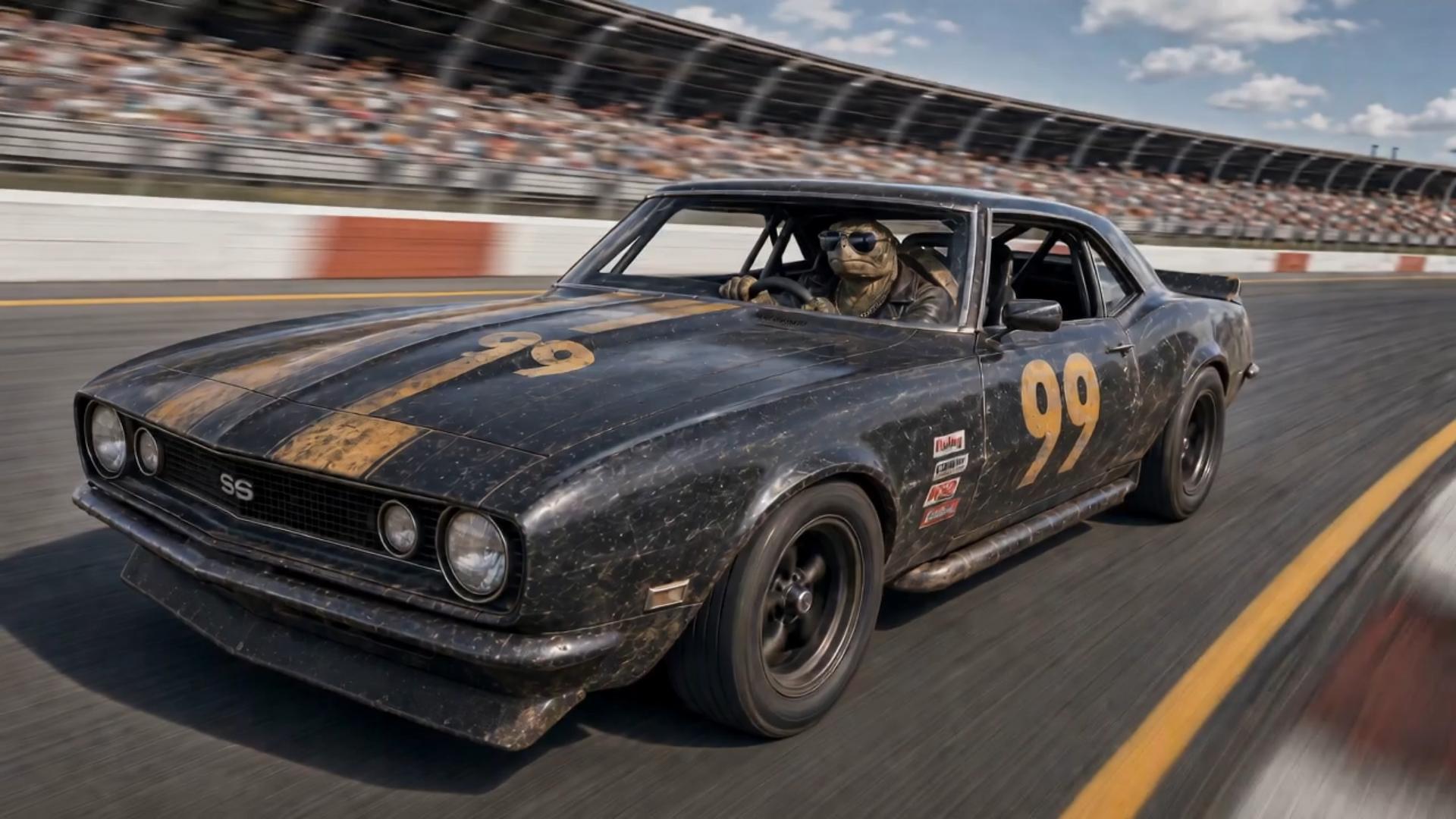
Imagine an animal fantasia where imagination takes the lead and animals become the stars of their own music videos. A turtle racer takes the wheel of a black No. 99 race car, speeding around the track before celebrating a trophy-winning finish. With dynamic racing footage and clear lip-sync shots, an ordinary animal character transforms into an unforgettable music star.
With Sondo, you can bring your own animal-inspired musical fantasy to life. Combine your song, an animal reference image, and a creative scene description to turn your idea into a personalized lip-sync music video, complete with expressive performances and a visual world built around your chosen character.
Start with a Clear Animal Reference
Choose a well-lit image with a clearly visible face and mouth. Keep the head large enough to show its shape and defining features, and avoid objects that cover the mouth.
In Sondo's Character Library, upload your reference photo and add a detailed character description covering its appearance, clothing, and expression. Reuse the same character throughout the video and keep those details consistent in your scene descriptions.
Give the Performance a Simple Setting in Sondo
In Sondo music video workflow, upload your song and add the animal reference image. Use the Description field to explain who is performing, where the performance happens, and how it should feel. Choose the aspect ratio that fits your intended video, then use Generate Script to develop the idea.
Keep the concept focused on one lead performer and a connected setting. Describe the animal's role, the atmosphere, and the main actions. Make clear which moments should emphasize singing so the performance remains central to the story.
Keep the Singing Moment Easy to Read
In the Description field, specify which shots you want to feature lip-sync. Sondo automatically analyzes your song and instructions to identify the appropriate moments and generate matching lip-sync shots. For the best results, describe the scenes clearly and keep the animal’s face visible during singing moments. Use wider shots to showcase racing action and other story details between vocal sections, creating a natural balance between performance and storytelling.
Review the Voice, Mouth Movement, and Character Together
Watch the video at normal speed with the audio on. Check whether the visible mouth movement feels connected to the sung phrase, including the pauses between words. Then look more closely at any moment that feels distracting.
Check the mouth movement, facial shape, and defining features together. The character should remain recognizable as it performs. If a section feels disconnected from the voice, simplify the actions and give the face more space in the scene description.
Keep the Performance Coherent
Watch the whole video before focusing on individual details. Check that the visual mood suits the song, the setting remains connected, and the animal has a clear role throughout. Refine descriptions where the action distracts from the singing.
FAQ
Can I make a music video with my own pet singing?
Yes. Upload your pet's reference photo and song, then describe the singing performance you want to create.
What kind of photo should I use?
Use a sharp, well-lit photo with a clearly visible face and mouth.
How can I keep the character consistent across scenes?
Reuse the same reference image and saved character description, then check the generated shots for changes in appearance.