
Static Shot Music Video Ideas: Let the Action Fill the Frame
Generate a music video storyboard with Sondo, then shape static shots through clear character actions, fixed camera directions, and refined scene descriptions.
A static shot keeps the camera’s position, angle, and framing unchanged while the scene develops. In a music video, that fixed viewpoint gives attention to the performer, the space, and the relationship between them. A change in expression or position can carry the scene forward without a camera move.
What Makes a Static Shot Work in a Music Video?
A fixed frame needs a clear point of attention and an action worth following. The composition establishes where the viewer should look, while the performance provides the change. Foreground and background details can also reveal how characters relate to each other.
The song helps determine the emotional pace. A restrained passage may leave room for a quiet reaction, while a stronger section can support a more decisive gesture. The camera stays still, but the character’s energy can develop with the music.
How to Direct a Static Shot in Sondo
Step 1: Establish the Character and the Space
Begin with a suitable reference photo and describe the character’s expression and body language. In Sondo’s character library, appearance and clothing details help establish a recognizable protagonist. For a scene involving two people, give each person a clear role.
Define their starting positions and the part of the setting that matters to the action. Leave enough room within the composition for the intended movement. Details that establish the space should remain consistent across descriptions.
Step 2: Give the Shot One Meaningful Action
Decide what the viewer learns during the shot. A useful action changes the character’s situation, attention, or emotional response. Keep that change focused enough to follow within the chosen framing.
Listen to the relevant musical passage before describing the performance. Its tempo and intensity can guide how restrained or energetic the action feels. Clear physical behavior makes the direction easier to interpret than a mood label alone.
Step 3: Specify the Fixed Viewpoint in the Shot Description
After video generation, select the shot that needs revision and edit the character’s action in the shot description. Specify the framing, where each person begins, and what changes within the scene.
Then specify a static camera direction so the intended viewpoint is clear. Remove instructions for pans, tracking, or zooms that conflict with a fixed frame. Describe character movement separately from camera behavior, keeping the focus on one main action. A concise description gives the result a clearer purpose to evaluate.
Step 4: Regenerate and Review the Result
Regenerate the revised shot and watch it with the music. Check whether the viewpoint stays steady, the performance remains readable, and the intended action appears within the frame. Look at the beginning and ending as well as the strongest moment.
If the camera moves unexpectedly or the staging becomes unclear, refine the relevant part of the description and review the next result. Once the revision works, re-merge the edited shot into the video and check its relationship to the surrounding sequence.
eg: An Empty Seat in the Rehearsal Room
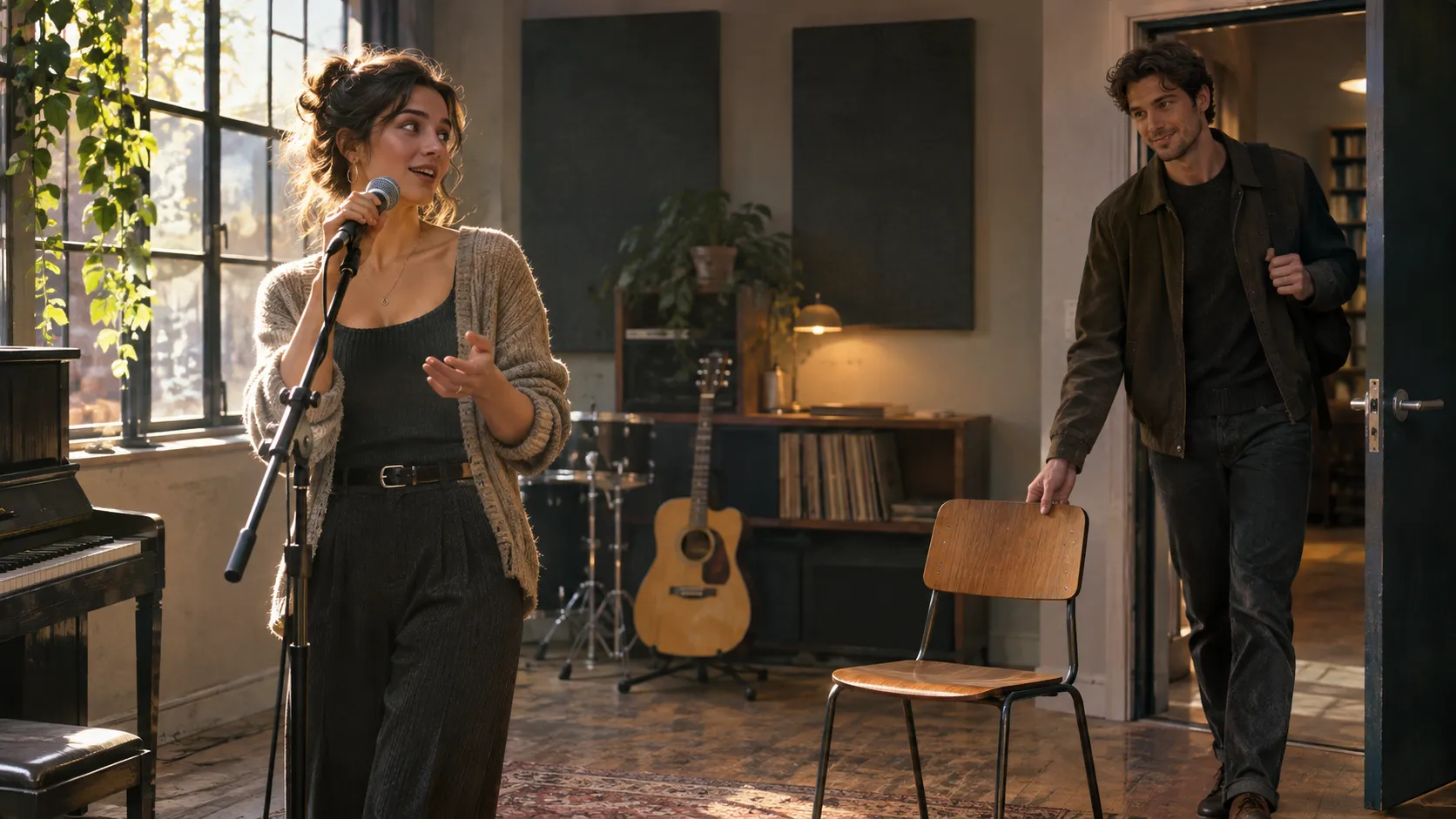
One possible concept places a performer and an empty chair in a fixed medium-wide composition. A second person enters and sits down within the frame. The performer notices the arrival, and their expression changes as they continue the performance.
The chair gives the arrival a visible destination, and the performer’s reaction gives it emotional meaning. The scene progresses through a change in who occupies the space. The camera can retain the same viewpoint while the relationship becomes the focus.
Keep the Frame Purposeful
Before accepting a shot, check whether the focal point is clear, important gestures remain visible, and the action contributes to the music video. Review the result as part of the song’s progression, including the shots before and after it.
Create an AI music video with Sondo, then refine a scene around a fixed viewpoint and one purposeful action. A clear description gives the performance room to carry the moment.
FAQ
Can characters move in a static shot?
Yes. The camera remains fixed while characters and objects can move within the frame.
How can a fixed camera be requested in Sondo?
Specify a fixed viewpoint in the shot description and remove conflicting camera movements. Regenerate the shot and check the result.
Does one revised shot require regenerating the whole video?
Individual shots can be edited and regenerated. Accepted revisions should be re-merged into the video.