
How to Create an AI Pet Music Video
Learn how to create an AI pet music video with no editing experience. Turn everyday photos of you and your pet into a personal music story in a few simple steps.
Your camera roll probably already has everything you need to start: a photo of your dog curled up on the sofa, a snapshot from your usual walk, a lovely selfie together, or a picture of your cat sitting on your desk while you work.
On their own, they are just everyday moments. Add the right song, and they can start to feel like parts of the same story.
And you do not need to know how to edit video to make that happen. If timelines, transitions, and color grading sound complicated, you can still start small. A song, a clear photo of you and your pet, and one simple idea are enough to create your first pet music video.
What You Need Before You Start
Start with three things: a song, a clear reference image, and one simple idea.
Your song gives the video its emotional direction. An upbeat pop track can make a playful afternoon with your cat feel light and energetic, while soft acoustic music can turn a quiet moment by the window into something warm and nostalgic. Instead of worrying about genre first, ask yourself what spending time with your cat feels like.
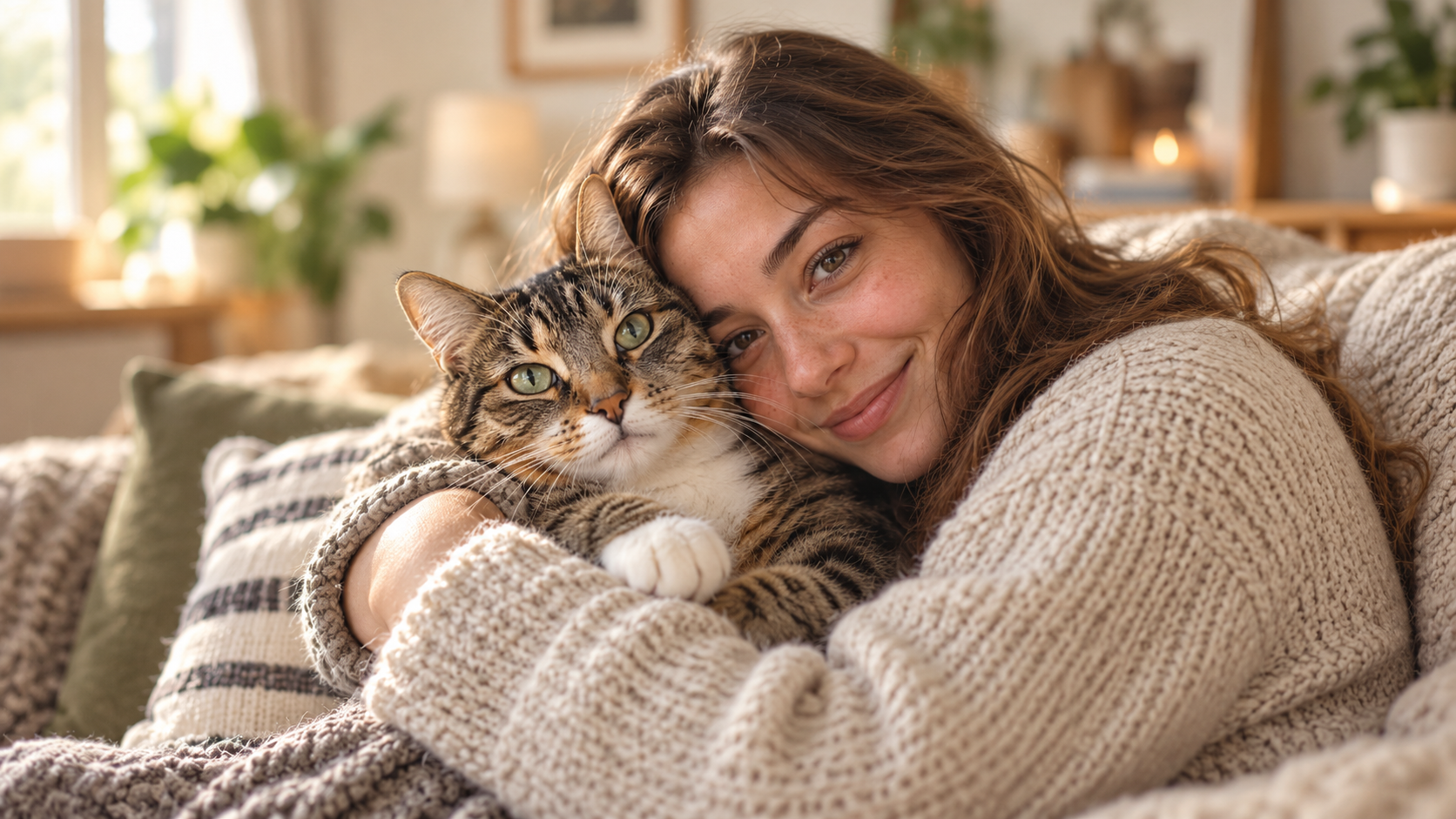
Next, choose a photo where both you and your cat are easy to see. Natural lighting and a clear view of both faces usually work better than a crowded image or one where either of you is partly hidden. It does not need to look professionally photographed. A simple photo of you sitting on the sofa with your cat, taken on your phone, can be a perfectly good starting point.
Finally, choose one moment or idea. You do not need a full script. Something as simple as “a cozy afternoon at home with my cat” already gives you enough direction to begin.
How to Create an AI Music Video Starring You and Your Pet
With Sondo AI, you do not need to build the video scene by scene on an editing timeline. The basic workflow is simple: upload your music, add a reference image of you and your pet, describe the kind of story you want to create, and let Sondo AI turn those inputs into a complete music video.
Step 1: Choose Your Song
Start by uploading the song you want to use.
Music sets the emotional direction of the video. It influences how fast the scenes feel, how the story develops, and whether the final result comes across as playful, cozy, nostalgic, or energetic.
For example, if you want to create a lighthearted video about everyday moments with your cat, an instrumental track with a bright, lively arrangement and a simple, catchy melody can work well. Light percussion and warm acoustic elements can give the video a cheerful, gentle, and slightly playful feeling that fits naturally with life at home.
A useful rule for beginners is to choose the feeling first and let the visuals follow.
Step 2: Add You and Your Pet
Next, upload a clear reference image showing both you and your pet.
Choose a photo where both subjects are easy to recognize, preferably with natural lighting, clear faces, and minimal obstruction. It does not need to be professionally photographed. A simple phone photo can work well as long as you and your pet are clearly visible.
In Sondo AI, the reference image helps establish the main characters of the video. For this type of music video, try to think of the relationship between you and your pet as the center of the story rather than treating your pet as a separate character doing random cute things.
The most natural moments are often simple ones: playing together, relaxing on the sofa, sitting by a window, walking outside, or your pet curling up beside you.
Step 3: Describe the Story You Want to Create
You do not need to write a full screenplay. A clear prompt simply gives Sondo AI enough direction to understand the characters, what happens, how the video should look, and what should remain consistent.
A useful structure is:
Subject + Scene Content + Camera Direction + Visual Mood + Constraints
Subject
Start by defining who appears in the video and the relationship between them.
For example:
Feature a young woman and an orange kitten, keeping both characters consistent throughout the video.
If consistency matters, you can also specify that their appearance should remain the same from scene to scene.
Scene Content
This is the most important part for beginners. Describe what actually happens between you and your pet.
For example:
Focus on cozy everyday moments at home: the woman holding and gently playing with the kitten, relaxing together on the bed, sitting by the window in the sunlight, and the kitten playing before curling up beside her.
Rather than listing unrelated scenes, try to make the activities feel like parts of the same day or memory.
Camera Direction
Next, add a few simple directions for how those moments should be shown.
For example:
Include close-ups of the woman and kitten, hand interactions, and natural eye contact, with soft transitions that follow the rhythm of the music.
You do not need to describe every camera movement. A few clear directions are usually enough.
Visual Mood
Describe how you want the video to feel.
For example:
Keep the visuals warm, natural, and relaxed, with soft daylight and a cozy home atmosphere. The overall mood should feel cheerful, gentle, and affectionate.
This helps connect the visual style back to the emotion of the song.
Constraints
Finally, add only the restrictions that are important to the result.
For example:
Keep the woman and kitten consistent throughout the video. Avoid extra people, additional pets, distorted features, or sudden changes in appearance.
Put together, the prompt could look like this:
Create a warm and heartwarming 40-second human-and-pet music video. Feature a young woman and an orange kitten, keeping both characters consistent throughout the video. Focus on cozy everyday moments at home: the woman holding and gently playing with the kitten, relaxing together on the bed, sitting by the window in the sunlight, and the kitten playing before curling up beside her. Include close-ups of the woman and kitten, hand interactions, and natural eye contact, with soft transitions that follow the rhythm of the music. Keep the overall style realistic, natural, and cozy, with warm lighting and a strong sense of companionship, affection, and everyday happiness. Avoid extra people, pet deformation, or changes in character appearance.
A clear prompt that defines the subject, setting, actions, visual mood, and key constraints gives Sondo AI a strong direction to build a cohesive music video.
Step 4: Let Sondo AI Analyze and Generate the Video
Once your music, reference image, and prompt are ready, Sondo AI takes over the heavier part of the process.
It analyzes the uploaded music together with your creative description to understand the rhythm, mood, and overall direction of the video. It then uses that information, along with your reference characters, to build scenes and organize them into a complete music video.
This is where the process becomes especially beginner-friendly. Instead of manually deciding where every cut should happen or arranging clips one by one, you can focus on the idea you want to tell and let the AI turn it into a visual sequence.
For a warm cat video, for example, softer sections of the song may suit quiet moments by the window or on the sofa, while livelier parts can support playing, moving around the house, or other playful interactions.
Step 5: Review and Refine Your Video
Once the video has been generated, watch it from beginning to end before focusing on individual shots.
Start with the overall story. Does it still feel like a video about you and your pet spending time together? Does the mood match the song? Do the scenes flow naturally from one moment to the next?
Then look more closely at the details:
Are you and your pet recognizable throughout the video?
Do the interactions feel natural?
Are the important moments from your prompt included?
Does any scene feel unrelated to the rest of the story?
Are there any shots you would like to adjust or regenerate?
If one scene does not work, you do not necessarily need to change the whole concept. Refining the description or adjusting a specific scene can often be enough.
For your first music video, the goal is not to control every second. It is to turn a simple idea—and the everyday relationship you already have with your pet—into a story that feels connected from beginning to end.
Simple Tips for a Better Music Video
Start With a Clear Photo of You and Your Pet
A clear reference image gives Sondo AI a stronger visual starting point. Choose a well-lit photo where both you and your pet are easy to recognize, with minimal obstruction.
Avoid images where your pet is too small, blurred, or partly hidden. A simple phone photo is enough if both of you are clearly visible.
Keep the Story Focused
For your first video, one simple idea is enough. Instead of mixing a beach trip, road trip, city walk, and cozy evening into one short video, choose one setting or part of the day.
For example:
A quiet afternoon at home with my cat.
Then build a few connected moments around it.
Match the Visual Mood to the Song
The visuals should feel consistent with the music. A bright, playful track works well with playtime and lively interaction, while softer music may suit close-ups, slower actions, and quiet moments together.
You do not need every scene to follow the beat exactly. Focus on keeping the overall pace and mood consistent.
Use Specific Actions
Specific actions make your idea easier to understand.
Instead of:
A woman spends time with her cat at home.
Try:
A woman sits on the sofa with her cat, gently pets it, plays with it on the floor, and later rests by the window as the cat curls up beside her.
Clear actions give Sondo AI a better sense of what should happen on screen.
Keep Camera Directions Simple
You do not need to describe every shot in detail. A few directions are enough:
medium shots for shared activities
close-ups for expressions and interaction
detail shots of hands, paws, or toys
natural eye contact
gentle transitions
Use camera directions only when they help the story.
Add Only the Constraints That Matter
Keep constraints focused on the details you want to protect most. For a people-and-pet music video, this may include keeping both characters consistent, avoiding extra people or pets, and preventing sudden changes in appearance. A short, clear list usually works better than a long set of restrictions.
5 Easy Pet Music Video Ideas for Beginners
1. A Day in Our Life
Turn an ordinary day into a simple vlog-style music video: waking up, breakfast, playtime, a walk, and winding down together at home.
2. Growing Up Together
Look back on the years you have shared, from your pet’s younger days to the routines and small moments that have become part of everyday life.
3. Our Little Adventure
Create a story about exploring somewhere together, whether it is the beach, countryside, a road trip, a campsite, or simply a new part of the city.
4. Missing You
Use photos and memories to create a more emotional music video about a pet you miss. Quiet home scenes, familiar places, and gentle music can help tell the story.
5. Our Funniest Moments
Turn clumsy jumps, stolen snacks, messy playtime, funny expressions, or other little disasters into a lighthearted music video.
Create a Music Video With Your Favorite Companion
With Sondo AI, you can upload your song, add you and your pet as characters, describe the kind of moment you want to create, and turn everyday memories into a complete music video—without needing to learn traditional video editing first.
FAQ
Do I need professional photos of me and my pet?
No. A clear everyday photo can work well. Try to choose one where both you and your pet are visible, well lit, and not heavily covered by other objects.
What should I write in my pet music video prompt?
Start with who is in the video, what you are doing together, where it happens, and how you want it to feel. Keep your first idea simple and add more detail only when it helps the story.
Can the video include both me and my pet?
Yes. Focusing on shared activities and natural interaction can help the video feel more like a story about companionship rather than a collection of unrelated pet scenes.